Inspection footage, reviewed before anyone presses play.
Upload CCTV, drone or walk-through video and IssuesId’s AI watches all of it. Each defect comes back coded, located along the run, graded and scored for confidence. A person confirms what is real, and confirmed defects become tracked work with the clip attached as evidence. Running now as a pilot with asset owners.
 44.61 m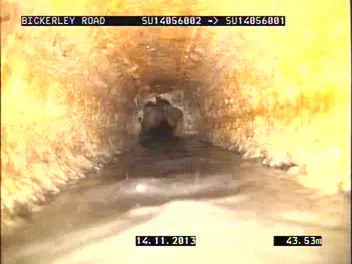
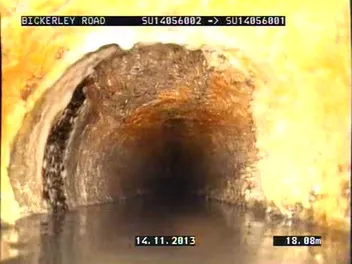
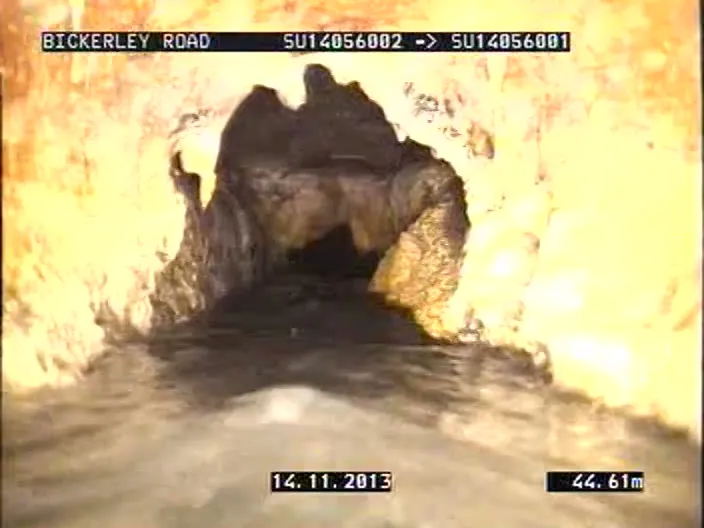
The review screen on a 45 m, 225 mm cast iron sewer survey. Footage: Wessex Water, “Sewer scanning CCTV footage”, CC BY.
The AI does the watching. A person does the deciding.
Somebody watching four hours of pipe to find six things wrong with it is the expensive part of a CCTV program. The footage still gets watched, every frame of it, but by the time a person sits down the findings are already in a queue, worst first, each one a click away from the moment it was filmed.
Any asset you film, with the codes you already use.
The detection pipeline does not care what the camera was pointed at. What changes from one industry to the next is the footage, the code list and the crew that fixes what it finds. Sewer CCTV coded to the WSA 05 structure is the first code set it is built against; every other row starts from your own code list in a pilot.
| Sector | Footage | What it looks for | Coded to |
|---|---|---|---|
| Water and wastewater First code set | Sewer and stormwater CCTV crawler surveys | Cracks, breaks, deformation, collapse, displaced joints, roots, deposits, infiltration, connections | WSA 05 Conduit Inspection Reporting Code structure |
| Roads and civil | Survey-vehicle and dash-mounted video | Potholes, cracking, rutting, worn line marking, damaged signs and barriers | The defect types in your road asset register |
| Buildings and facilities | Walk-through video and drone passes of facades and roofs | Cracking, spalling, water staining, failed sealant, damaged cladding and flashings | The categories already set up in your IssuesId projects |
| Construction handover | Video walks of finished apartments, townhouses and fit-outs | Damage, unfinished works and missing items, filed by room | Your snag categories and location tree |
| Rail, tunnels and culverts | Inspection runs through tunnels, culverts and under bridges | Spalling, seepage, cracking, exposed reinforcement, debris and blockages | Your structure inspection manual |
| Warehouses and logistics | Racking walks and dock-door video | Damaged uprights, bent beams, missing safety locks, floor and dock damage | Your racking inspection categories |
| Energy and utilities | Drone footage of poles, lines, substations and solar farms | Damaged insulators and cross-arms, vegetation encroachment, broken or soiled panels | Your asset defect codes |
Whatever the sector, a confirmed finding lands on the same record the rest of IssuesId runs on: tracked items, work orders, contractors and reports. So a crack found on a facade video and one found on a site walk are closed the same way.
Fits how you already work, not the other way round.
Every asset owner arrives with footage in a different place, a different code list, a security team with views on where video lives, and a different appetite for letting software make the call. None of that should decide whether you can use it.
The stamps say what is live in IssuesId today, what runs in a pilot on your footage, and what gets built during one.
- Hosted in AustraliaAvailableIssuesId’s servers and database run in Sydney. For video, footage storage and the AI processing can stay onshore as well.
- Or inside your own cloudIn pilotWhere footage has to stay inside your environment, the detection pipeline can be deployed into your organisation’s cloud account on any major provider.
- Footage from wherever it is nowIn pilotUpload in the browser, a contractor sends it straight from their survey software through the API, or a backlog of past surveys comes in as one bulk import.
- Your codes and your gradesIn pilotWSA 05 structure for sewer and stormwater, or the defect list you already use. Condition grades follow the scoring tables you configure, not ours.
- As much or as little review as you wantIn pilotA person confirms every finding, or high-confidence findings in the codes you trust are accepted automatically and a random sample is checked. Set per code family, and changed as the numbers come in.
- Into the systems you already runAvailableA REST API with company-scoped keys and webhooks for events like a defect being raised, available across IssuesId today.
- Straight onto your network map and asset registerPlannedCondition grades and defects pushed to your GIS and asset management system, mapped to your asset IDs. Built in the pilot against the systems you run.
Measured on your footage, before you rely on it.
We do not quote an accuracy figure for your network, because we have not seen your network. A pilot measures it on your own coded footage, code by code, so you decide what to automate from your numbers, not a brochure’s.